Quickly Summarize Conversations and Add to the Ticket! 💬
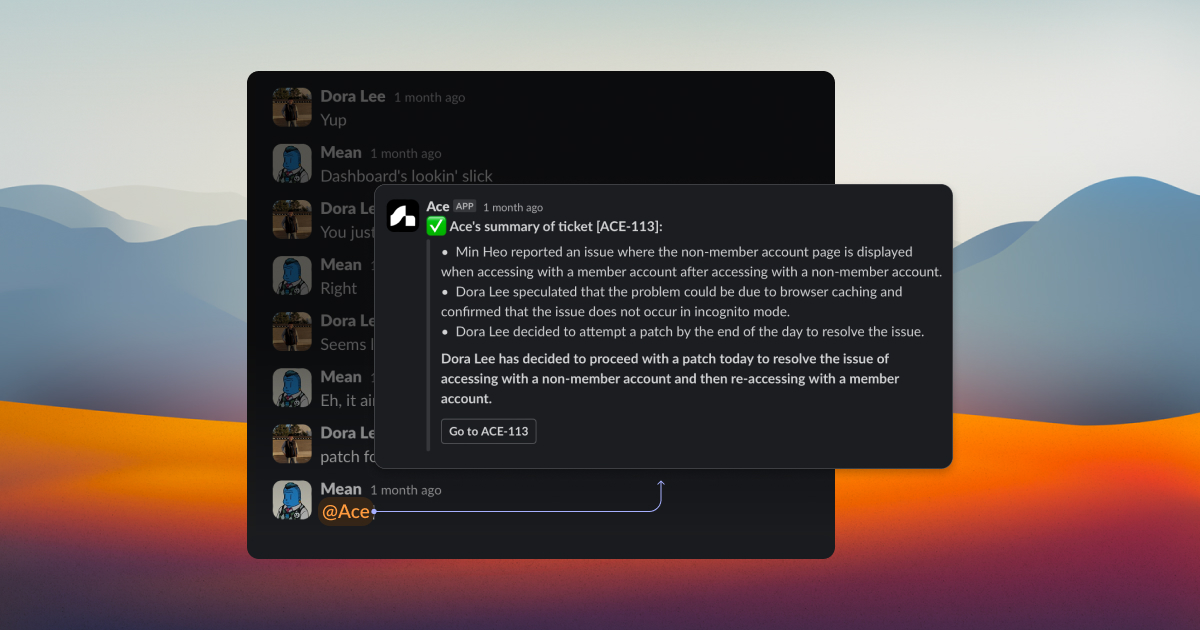
We've made it super easy for you to add relevant conversations with your team members to your tasks! No more switching back and forth between chats and tickets. 🙌
How It Works 🤔
Here are a couple of ways to seamlessly integrate your team conversations into your workflow:
Mention @ace in a thread 📩
When you mention @ace in a thread, it will automatically search for related tickets and attach a summary of the conversation to them.
Use the "Add Task" button in the thread 🆕
Click on the "Add Task" button in the thread and select "Summarize" or "Ace" to quickly incorporate the conversation into your tasks.
Search and attach conversations to connected tickets 🔍
If *needed, you can also search for connected tickets and manually attach relevant conversation contents to them.
*Currently, you can only attach conversations to existing tickets. (Creating new tickets from thread content will be supported in the future.)
Say goodbye to the hassle of juggling multiple tabs and hello to a more efficient workflow! 🎉 Start using these features today and watch your productivity soar! 📈